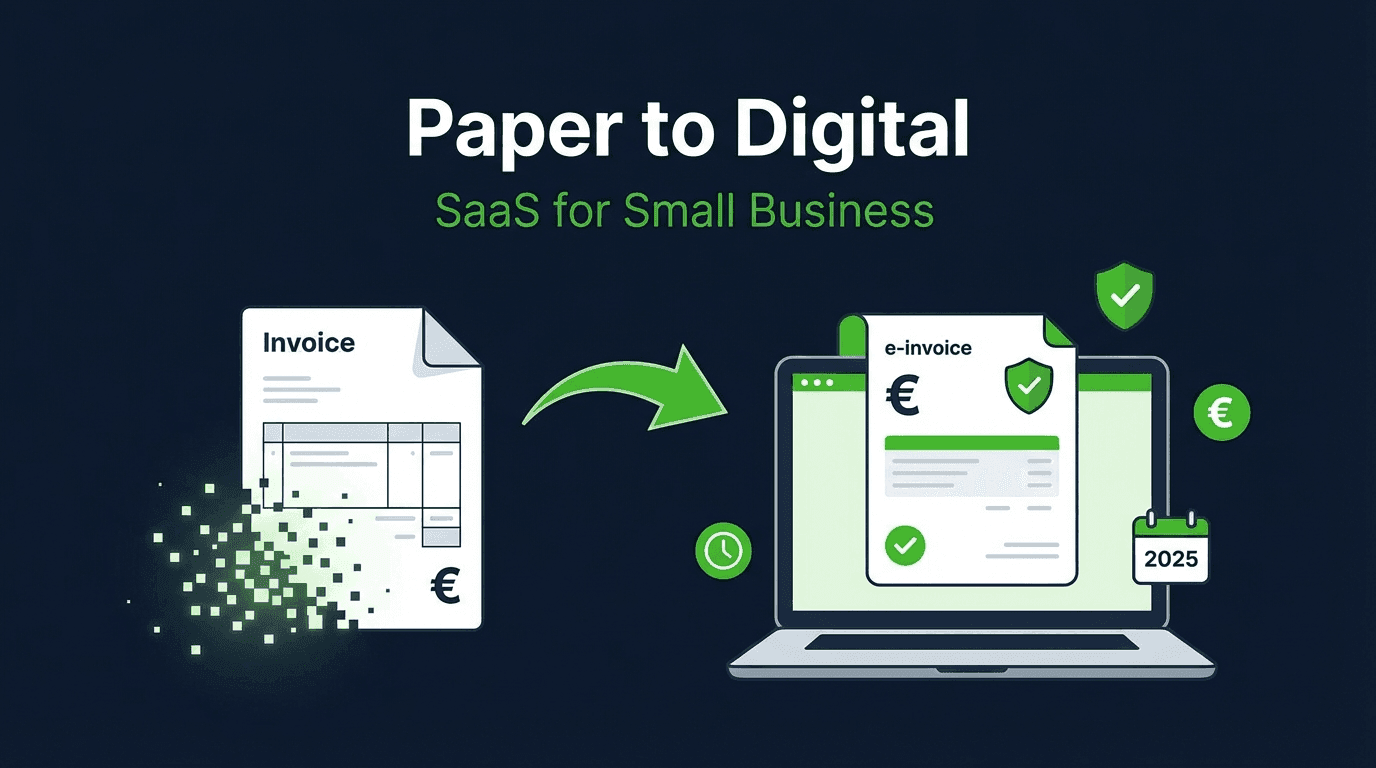
Germany's e-invoicing mandate is here -- and it affects every business, regardless of size or industry. Since January 1, 2025, all B2B companies must be able to receive e-invoices, and from 2027 onward, SMBs must also send them.
For many small and medium-sized businesses, the question is: how do I comply without breaking the bank? The answer: n8n and the xhub.io API.
Who Does the E-Invoicing Mandate Affect?
In short: everyone. Germany's Growth Opportunities Act (Wachstumschancengesetz) introduces a phased rollout:
- From 01.01.2025: All businesses must be able to receive e-invoices
- From 01.01.2027: Businesses with > 800,000 EUR annual revenue must send e-invoices
- From 01.01.2028: All businesses must send e-invoices
A simple PDF no longer qualifies. E-invoices must be in a structured, machine-readable format.
Which Format Do I Need?
The right format depends on who you're invoicing:
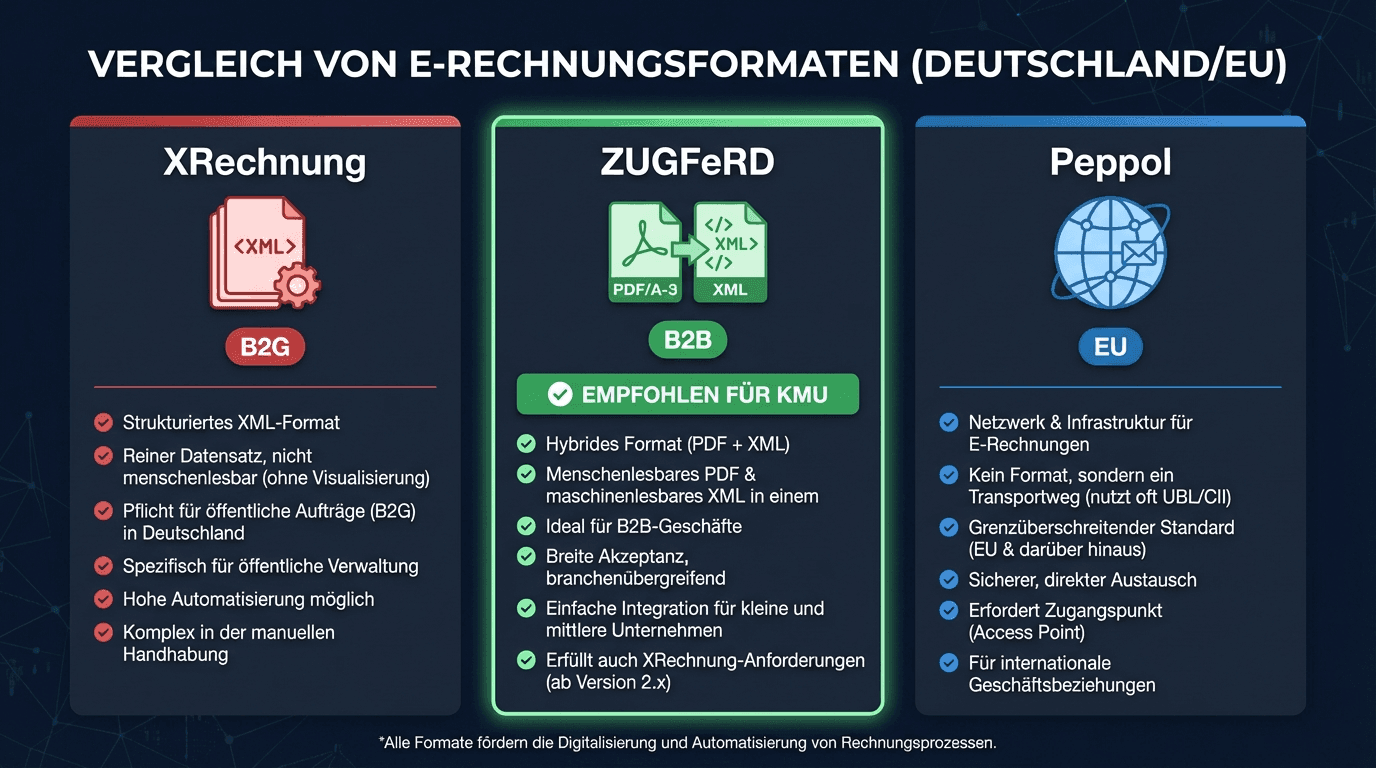
| Recipient | Format | Mandatory Since | Description |
|---|---|---|---|
| Government (B2G) | XRechnung | 2020 | Pure XML, mandatory for public sector |
| Businesses (B2B) | ZUGFeRD | 2025/2027 | Hybrid PDF with embedded XML |
| EU Partners | Peppol BIS | varies | European exchange format via the Peppol network |
Our Recommendation for SMBs: ZUGFeRD 2.3
For most small businesses, ZUGFeRD 2.3 (profile EN16931 or XRechnung) is the best choice:
- Hybrid format: Human-readable PDF + machine-readable XML in a single file
- Dual purpose: Meets both B2B and B2G requirements (with XRechnung profile)
- Easy archiving: One file instead of two
- Widely supported: Compatible with all major accounting software
Tip: With the xhub.io API, you can generate both ZUGFeRD and XRechnung from a single API call -- no need to commit to one format.
Why n8n Is the Best Solution for SMBs
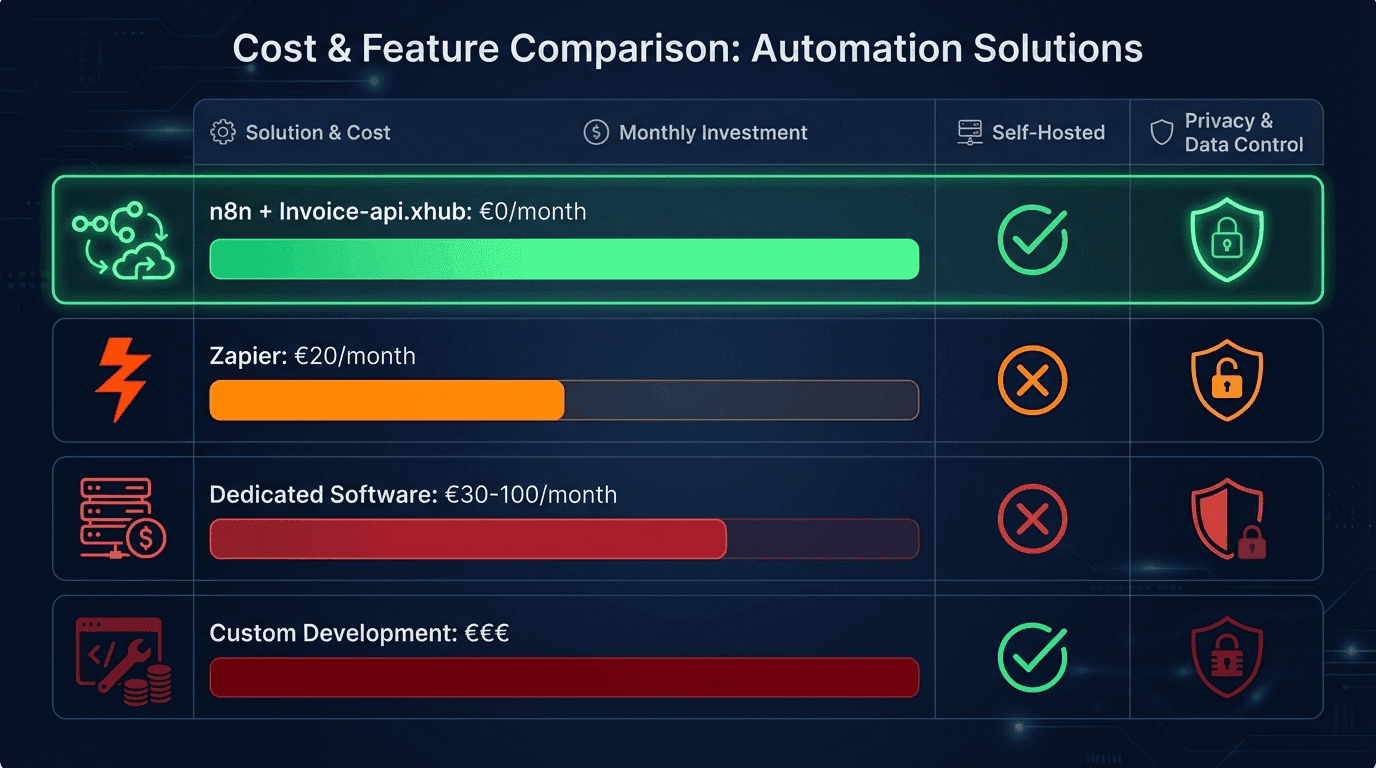
Before investing in expensive software, consider your options:
| Solution | Cost/Month | Setup | GDPR | Flexibility |
|---|---|---|---|---|
| n8n (Self-Hosted) + xhub.io | 0 EUR up to 20 invoices/month, then from 23 EUR (Starter, 2,000 invoices) | Medium | Full control | Very high |
| Zapier + xhub.io | from 20 EUR | Easy | US Cloud | High |
| Dedicated e-invoicing software | 30--100 EUR | Easy | Varies | Low |
| Custom development | 500+ EUR (developer) | High | Full control | Very high |
n8n Advantages in Detail
- Free self-hosted: n8n is open source and runs on your own server -- no monthly fees for the automation platform
- GDPR-compliant: Your invoice data never leaves your server (n8n runs locally, the API only processes data for generation)
- No-code/low-code: No programming skills required -- workflows are built visually with drag & drop
- Unlimited workflows: Unlike Zapier or Make, there are no artificial limits on workflows or executions
- Extensible: 400+ integrations -- connect your accounting, CRM, email, and more in a single workflow
- Community: Large active community with ready-made workflow templates
Practical Example: Automated Invoice Dispatch
Here's what a typical n8n workflow for automated e-invoice creation looks like:
The Workflow in 5 Steps
- Trigger: New order in your shop/CRM/accounting tool
- Transform data: Convert invoice data from the trigger into the xhub.io API format
- API call: xhub.io API generates the ZUGFeRD/XRechnung file
- Store: Save the e-invoice in your document management system
- Send: Email the invoice to your customer
Example Payload for the xhub.io API
POST https://service.invoice-api.xhub.io/api/v1/invoice/de/zugferd/generate (format and country live in the URL path, formatOptions.zugferdProfile is optional in the body):
1{2 "invoice": {3 "invoiceNumber": "INV-2026-001",4 "type": "invoice",5 "issueDate": "2026-06-11",6 "dueDate": "2026-07-11",7 "currency": "EUR",8 "seller": {9 "name": "My Company GmbH",10 "street": "Musterstraße 1",11 "city": "Berlin",12 "postalCode": "10115",13 "countryCode": "DE",14 "vatId": "DE123456789"15 },16 "buyer": {17 "name": "Customer AG",18 "street": "Kundenweg 5",19 "city": "München",20 "postalCode": "80331",21 "countryCode": "DE"22 },23 "items": [24 {25 "position": 1,26 "description": "Consulting services",27 "quantity": 10,28 "unit": "HUR",29 "unitPrice": 150.00,30 "taxRate": 19,31 "netAmount": 1500.00,32 "taxAmount": 285.00,33 "grossAmount": 1785.0034 }35 ],36 "subtotal": 1500.00,37 "total": 1785.00,38 "taxSummary": [39 { "taxRate": 19, "netAmount": 1500.00, "taxAmount": 285.00 }40 ],41 "paymentTerms": { "dueDays": 30 }42 },43 "formatOptions": { "zugferdProfile": "EN16931" }44}For a complete step-by-step tutorial with screenshots, see our n8n tutorial. You can test the workflow directly in the Playground.
ROI Calculation: Is Automation Worth It?
The short answer: Yes, from the very first invoice. Here are the numbers:
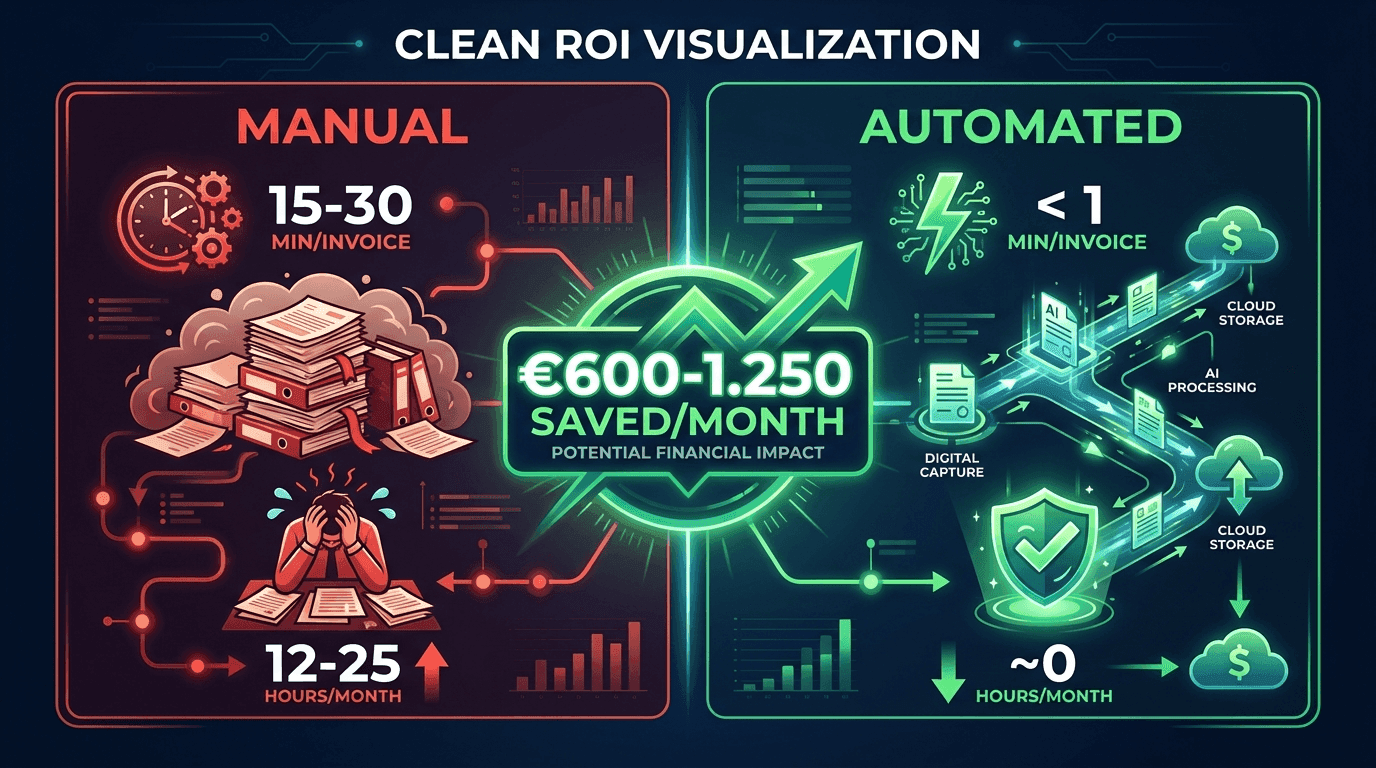
| Metric | Manual | Automated |
|---|---|---|
| Time per invoice | 15--30 minutes | < 1 minute |
| Error rate | 5--8% | < 0.1% |
| Cost per invoice (at 50 EUR/hr) | 12.50--25.00 EUR | ~0.46 EUR (23 EUR Starter ÷ 50 invoices) |
| For 50 invoices/month | 625--1,250 EUR | 23 EUR (Starter plan) |
| Monthly savings | -- | 602--1,227 EUR |
Our prices are net, plus VAT. 50 invoices/month do not fit the free tier (20 invoices) — the Starter plan is what is costed here.
What "Manual" Actually Includes
The 15--30 minutes per invoice cover:
- Transferring data from the order into your invoicing software
- Creating and reviewing the invoice
- Converting to the correct e-invoice format
- Sending the invoice
- Archiving the invoice
- If errors occur: correction and resending
With n8n and the xhub.io API, all of this happens automatically -- from order receipt to delivery of the finished e-invoice.
Get Started Now: 4 Steps to Automated E-Invoicing
Step 1: Install n8n
You can start n8n with a single Docker command:
1docker run -it --rm -p 5678:5678 n8nio/n8nAlternatively: Use n8n Cloud (free starter plan available).
Step 2: Get Your xhub.io API Key
Sign up for free at invoice-api.xhub.io and create an API key. The free tier includes 20 invoices per month -- more than enough for many SMBs.
Step 3: Create Your Workflow
Follow our detailed n8n tutorial or import a ready-made workflow from our integration documentation.
Step 4: Test in the Playground
Before going live, test your invoice data in the xhub.io Playground. You'll instantly see how the generated e-invoice looks -- without consuming a single API call.
Further Resources
- n8n Integration: Full Documentation -- All endpoints, authentication, and example workflows
- Tutorial: Create XRechnung with n8n -- Step-by-step with screenshots
- API Playground -- Test e-invoices directly in your browser
- Pricing & Plans -- Free to start, fair scaling
Conclusion
The e-invoicing mandate doesn't have to be an expensive project. With n8n as a free automation platform and the xhub.io API as your e-invoicing engine, SMBs can:
- Start immediately -- without a major investment
- Stay GDPR-compliant -- with self-hosted n8n
- Save time and money -- 600+ EUR per month with 50 invoices
- Be future-proof -- ZUGFeRD, XRechnung, and Peppol from a single API
The question isn't whether to automate, but when. And the best time is now.