
Shopify Integration
Under App Store reviewEmbedded Shopify app that turns every order into a compliant e-invoice — XRechnung 3.0.2, ZUGFeRD 2.4, and PDF live today, seven more formats arriving Q4 2026. The price of the Standard plan is on the Shopify App Store listing; billing runs through Shopify and service access is included. v1.0.0 submitted to Shopify App Store review.
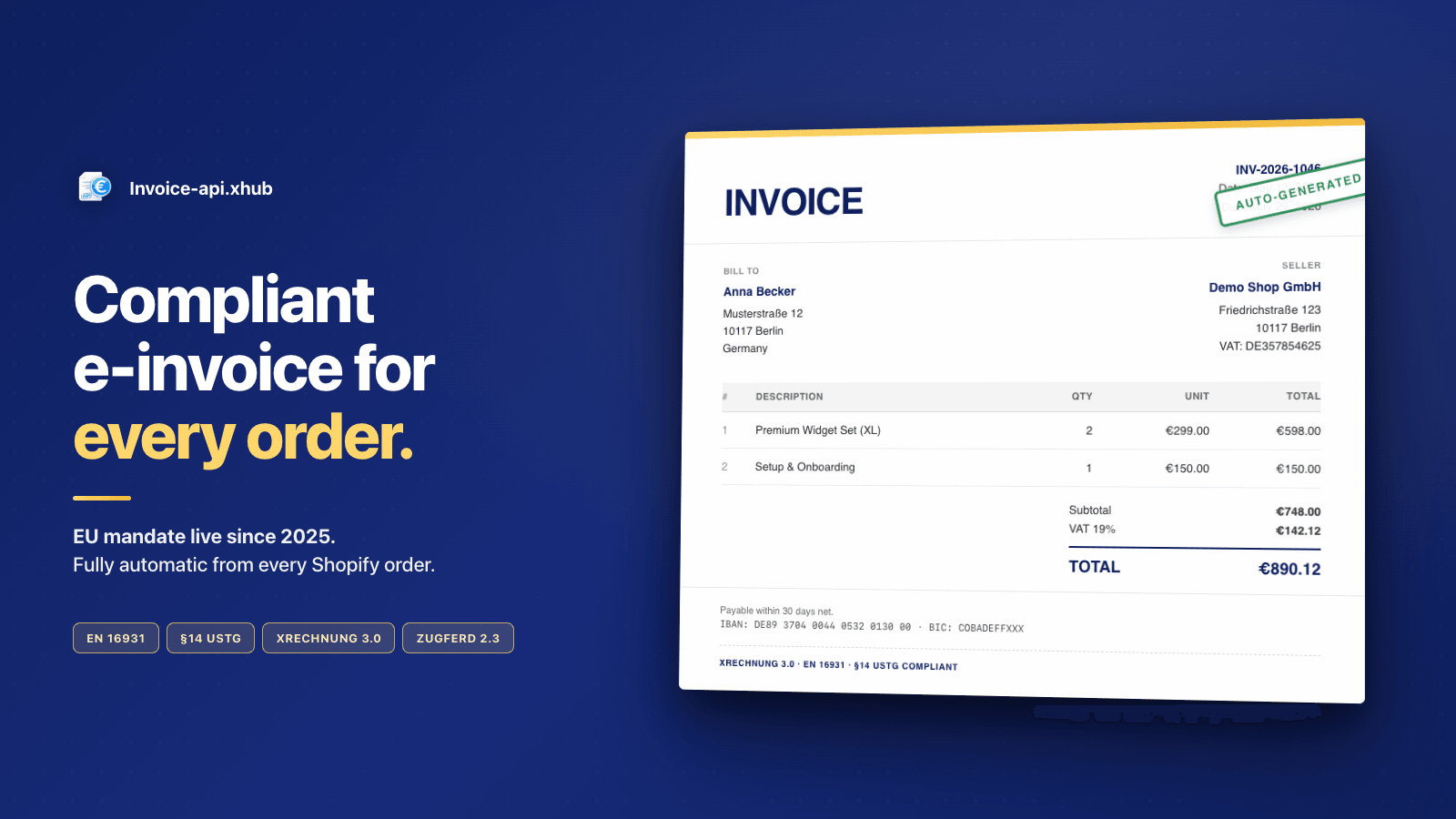
PDF · XRechnung 3.0.2 · ZUGFeRD 2.4 — straight from every order, EN 16931 compliant
Submitted to Shopify App Store review
The Shopify app runs on a Standard plan billed through Shopify; the App Store listing carries the price. Service access is included, with no separate API key to manage. v1.0.0 is in review; meanwhile you can try the underlying service in demo mode with an API key from console.invoice-api.xhub.io.
Live demo
~100 sec · voice + subtitlesLive today
- PDF (all 37 supported countries)
- XRechnung 3.0.2 for Germany — BIS 3.0 / EN 16931
- ZUGFeRD 2.4 for DE/AT — hybrid PDF/A-3 with embedded XML
Coming Q4 2026
- Factur-X (FR)
- FatturaPA (IT)
- Facturae (ES)
- ebInterface (AT)
- UBL (BE/NL/BG/RO)
- ISDOC (CZ)
- NAV (HU)
Features
Automatic e-invoice
PDF, XRechnung, or ZUGFeRD generated automatically on order paid or fulfilled — via Shopify webhook
Per-shop format choice
Switch between PDF, XRechnung 3.0.2, and ZUGFeRD 2.4 in the Settings tab — no code, applies to the next order
Admin order-detail block
Native order-detail block with Generate / Re-generate (force) and a download link for every generated file
Theme app block for download
Theme app block for the order-status page — buyers download their invoice directly from the Shopify storefront
Screenshots
Webhooks the app subscribes to
What the embedded app subscribes to
On install the app subscribes to exactly the seven webhooks listed below — two business triggers for auto-generation, three mandatory GDPR compliance webhooks, and two lifecycle webhooks. If you prefer an app-less integration, you can consume the same events directly in n8n / Make (see section below).
orders/paidAuto-generation trigger (default)
orders/fulfilledAlternative trigger — generation only after fulfillment
customers/data_request · customers/redact · shop/redactMandatory GDPR webhooks (data request, customer redact, shop redact)
app/uninstalled · app/scopes_updateLifecycle cleanup on uninstall and scope changes
1// Shopify Webhook → Invoice-api.xhub2// Configure in Shopify Admin → Settings → Notifications → Webhooks3 4// Webhook Payload from Shopify (orders/paid)5{6 "id": 820982911946154508,7 "email": "kunde@beispiel.de",8 "billing_address": {9 "company": "Musterfirma GmbH",10 "address1": "Musterstraße 123",11 "city": "Berlin",12 "zip": "10115",13 "country_code": "DE"14 },15 "line_items": [16 {17 "title": "Premium Widget",18 "quantity": 2,19 "price": "99.00"20 }21 ],22 "tax_lines": [23 { "rate": 0.19, "price": "37.62" }24 ]25}Integration with n8n/Make
Prefer a no-app integration? Connect Shopify with Invoice-api.xhub via an automation platform of your choice.
- 1
Create Shopify Webhook
Admin → Settings → Notifications → Webhooks
- 2
Create n8n/Make Workflow
Trigger: Webhook, Action: HTTP Request
- 3
Transform Data
Shopify format → Invoice-api.xhub format
- 4
Create E-Invoice
POST /api/v1/invoice/de/xrechnung/generate to Invoice-api.xhub API
1// n8n/Make Workflow: Shopify → Invoice-api.xhub2 3// 1. Trigger: Shopify Webhook (orders/paid)4// 2. Transform: Shopify → Invoice-api.xhub Format5// 3. Action: POST https://service.invoice-api.xhub.io/api/v1/invoice/de/xrechnung/generate6 7// Compute items with all required fields8const items = shopifyOrder.line_items.map((item, index) => {9 const unitPrice = parseFloat(item.price);10 const taxRate = 19;11 const netAmount = unitPrice * item.quantity;12 const taxAmount = Math.round(netAmount * taxRate) / 100;13 const grossAmount = netAmount + taxAmount;14 return {15 position: index + 1,16 description: item.title,17 quantity: item.quantity,18 unit: "C62", // UN/ECE Rec 20: Stück — Klartext wie "piece" fällt bei BR-CL-23 durch19 unitPrice,20 taxRate,21 netAmount,22 taxAmount,23 grossAmount,24 };25});26 27const subtotal = items.reduce((sum, i) => sum + i.netAmount, 0);28const totalTax = items.reduce((sum, i) => sum + i.taxAmount, 0);29 30const payload = {31 invoice: {32 invoiceNumber: `SHOP-${shopifyOrder.id}`,33 type: "invoice",34 issueDate: new Date().toISOString().slice(0, 10),35 dueDate: new Date(Date.now() + 30 * 86400000).toISOString().slice(0, 10),36 currency: "EUR",37 seller: {38 name: "Your Shop Name",39 vatId: "DE123456789",40 street: "Shopstraße 1",41 city: "Hamburg",42 postalCode: "20095",43 countryCode: "DE",44 // BR-DE-2 requires a seller contact; BR-DE-6 its phone number. Leaving45 // both out is the most common reason a first XRechnung is rejected.46 email: "rechnung@your-shop.de",47 phone: "+49 40 1234567",48 },49 buyer: {50 name: shopifyOrder.billing_address.company,51 vatId: shopifyOrder.customer.tax_id,52 street: shopifyOrder.billing_address.address1,53 city: shopifyOrder.billing_address.city,54 postalCode: shopifyOrder.billing_address.zip,55 countryCode: shopifyOrder.billing_address.country_code,56 },57 countrySpecific: {58 countryCode: "DE",59 buyerReference: "SHOP-LEITWEG-ID",60 },61 items,62 subtotal,63 total: subtotal + totalTax,64 taxSummary: [{ taxRate: 19, netAmount: subtotal, taxAmount: totalTax }],65 paymentTerms: { dueDays: 30, description: "Payable within 30 days" },66 },67};68 69const response = await fetch(70 "https://service.invoice-api.xhub.io/api/v1/invoice/de/xrechnung/generate",71 {72 method: "POST",73 headers: {74 "Content-Type": "application/json",75 Authorization: "Bearer sk_live_xxxxxxxxxxxxxxxxxxxx",76 },77 body: JSON.stringify(payload),78 }79);Use Cases
B2B Orders
Automatic XRechnung for all B2B customers with VAT ID
- 1Customer provides VAT ID at checkout
- 2Shopify webhook on payment receipt
- 3Invoice-api.xhub creates XRechnung
- 4E-invoice sent via email
Government Orders
XRechnung with routing ID for public sector clients
- 1Capture routing ID as custom field
- 2Order is placed
- 3Create XRechnung with routing ID
- 4Download link in order-detail block · upload to procurement portal
Hybrid Invoices
ZUGFeRD PDF as default for all orders
- 1Every order triggers workflow
- 2Create ZUGFeRD 2.4 COMFORT
- 3Attach PDF to confirmation email
- 4Archiving in Invoice-api.xhub
What works with Shopify
Supported
- XRechnung 3.0.2, ZUGFeRD 2.4 and PDF from any order
- Embedded app, triggered by Shopify webhooks
- Billed through Shopify, service access included
- KoSIT Schematron check before dispatch
Limits
- The app is submitted to the Shopify App Store review and is NOT publicly installable yet
- Seven further country formats follow from Q4 2026
- Peppol dispatch is not available yet (planned 2027)
What it costs for your shop
A Shopify shop with around 500 orders per month fits the Starter plan at 23 € per month billed monthly, or 18 € per month billed annually.
All prices net, plus VAT · 20 % off when billed annually · Free tier without a credit card
All plansShopify — frequently asked
Can I install the app today?
Not yet. v1.0.0 is with the Shopify App Store review. Until it is approved, the same flow can be built via the REST API or an automation service such as n8n, Make or Zapier.
How is it billed?
Through Shopify, €19/month on the standard plan, with access to the e-invoicing service included. If you use the API directly, you pay at the rate below instead.
German invoicing obligations from a US shop system — does that work?
Yes. Shopify supplies the order data; the compliant invoice is produced in the API: XRechnung per EN 16931, checked against the KoSIT Schematron rules.
Your question about Shopify isn't listed? Ask directly
For agencies
If you build Shopify shops for clients: this page is the explanation you can hand them. Get in touch for volume terms and joint projects.