You receive e-invoices every day via email – as XML attachments, ZUGFeRD PDFs, or in Peppol format. Each one needs to be checked, classified, and stored in a legally compliant manner. Doing this manually doesn't just take time – it's also error-prone.
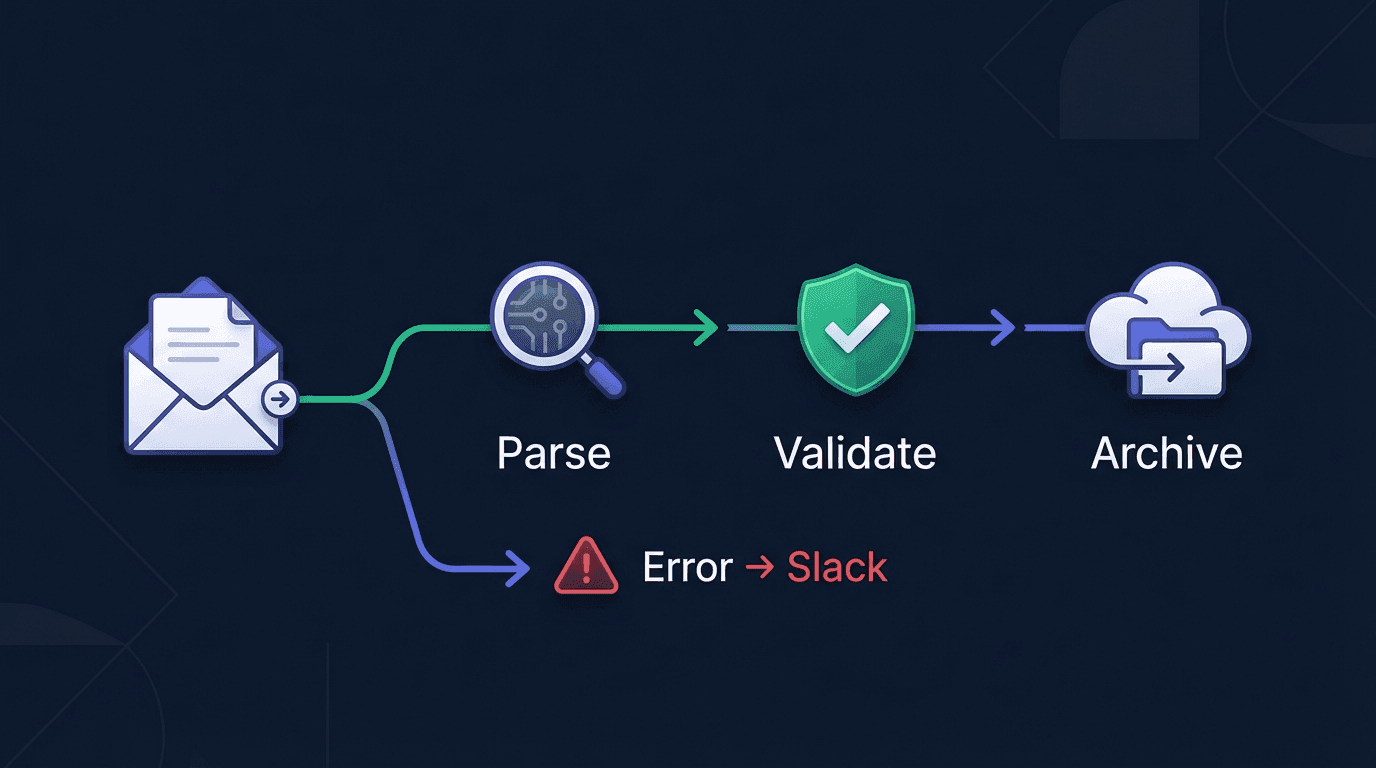
In this tutorial, we'll build a complete n8n workflow that automatically detects, validates, and archives incoming e-invoices – and fires a Slack alert the moment something goes wrong.
Looking for n8n basics? Check out our complete n8n documentation – with installation guide, code examples, and ready-made workflow templates.
The Problem: Manual Invoice Checking Doesn't Scale
In many companies, the process looks like this today:
- An employee opens an email with an invoice attachment
- Downloads the file and manually identifies the format
- Uploads it to a validation tool and checks the result
- Contacts the supplier if there are errors
- Files valid invoices in the correct folder
With 5 invoices a day, that's manageable. With 50 or 500, it becomes a bottleneck – and every missed error can cause problems during a tax audit.
Workflow Overview
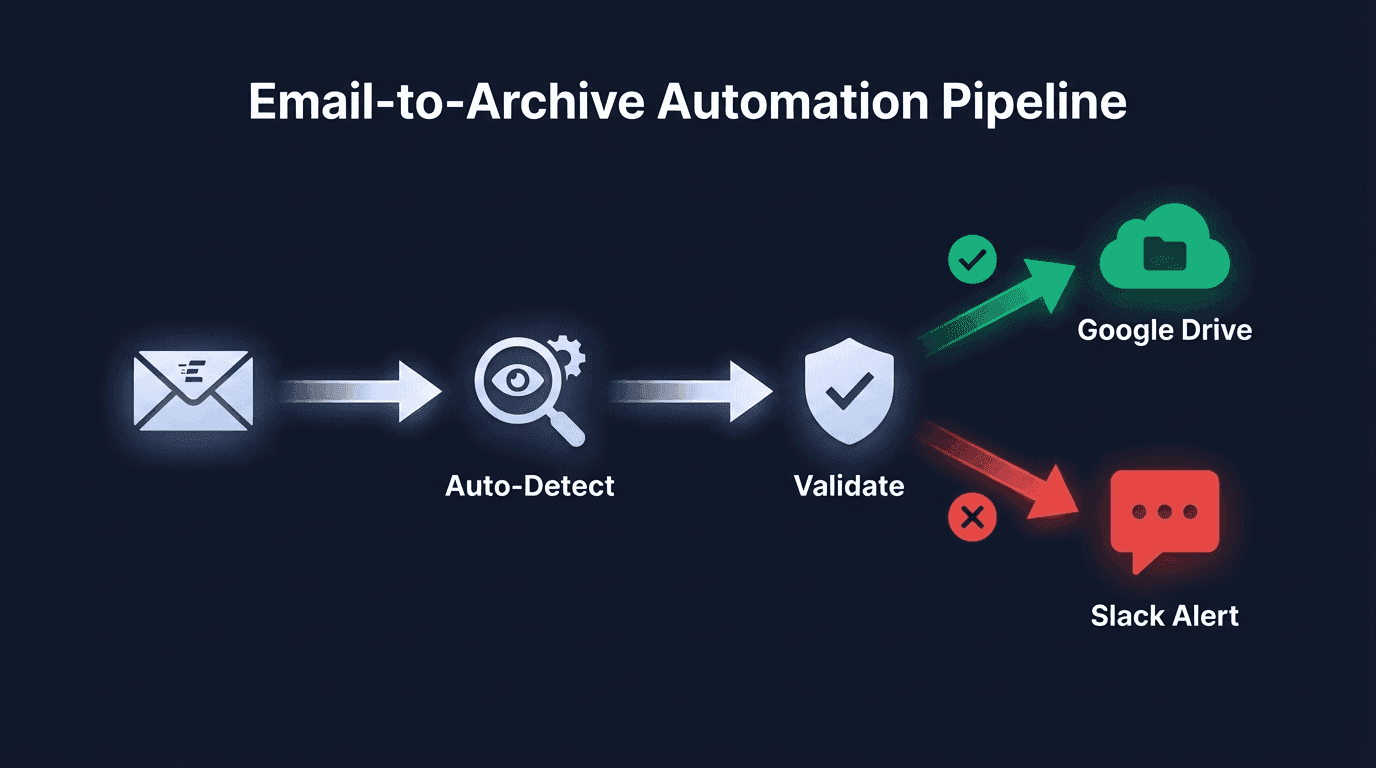
Our automated workflow consists of 6 steps:
1Email (IMAP) → Parse Auto-Detect → Validate → IF Branch2 ├─ Success → Google Drive Upload3 └─ Error → Slack AlertWhat the workflow does:
- Automatic format detection – XRechnung, ZUGFeRD, Factur-X, UBL, or CII is detected automatically
- Schema and business rule validation – Checks against official Schematron rules
- Archiving – Valid invoices are automatically uploaded to Google Drive
- Error escalation – Invalid invoices trigger a Slack alert with specific error codes
Step 1: IMAP Trigger – Receive Emails with Invoices
Create a new workflow in n8n and add an IMAP Email Trigger as the first node.
Configuration:
| Setting | Value |
|---|---|
| Mailbox | INBOX |
| Format | RAW |
| Options → Attachments | enabled |
| Poll Interval | 5 minutes |
The node watches your mailbox and triggers the workflow whenever a new email with an attachment arrives. Attachments are passed along as binary data.
Tip: Create a mail filter rule that automatically moves invoices to a subfolder like
Invoices. Then point the IMAP trigger specifically at that folder.
Step 2: Parse with Auto-Detect – Automatically Identify the Format
Add an HTTP Request node that sends the invoice to the Invoice-api.xhub Parse API – with automatic format detection.
HTTP Request Configuration:
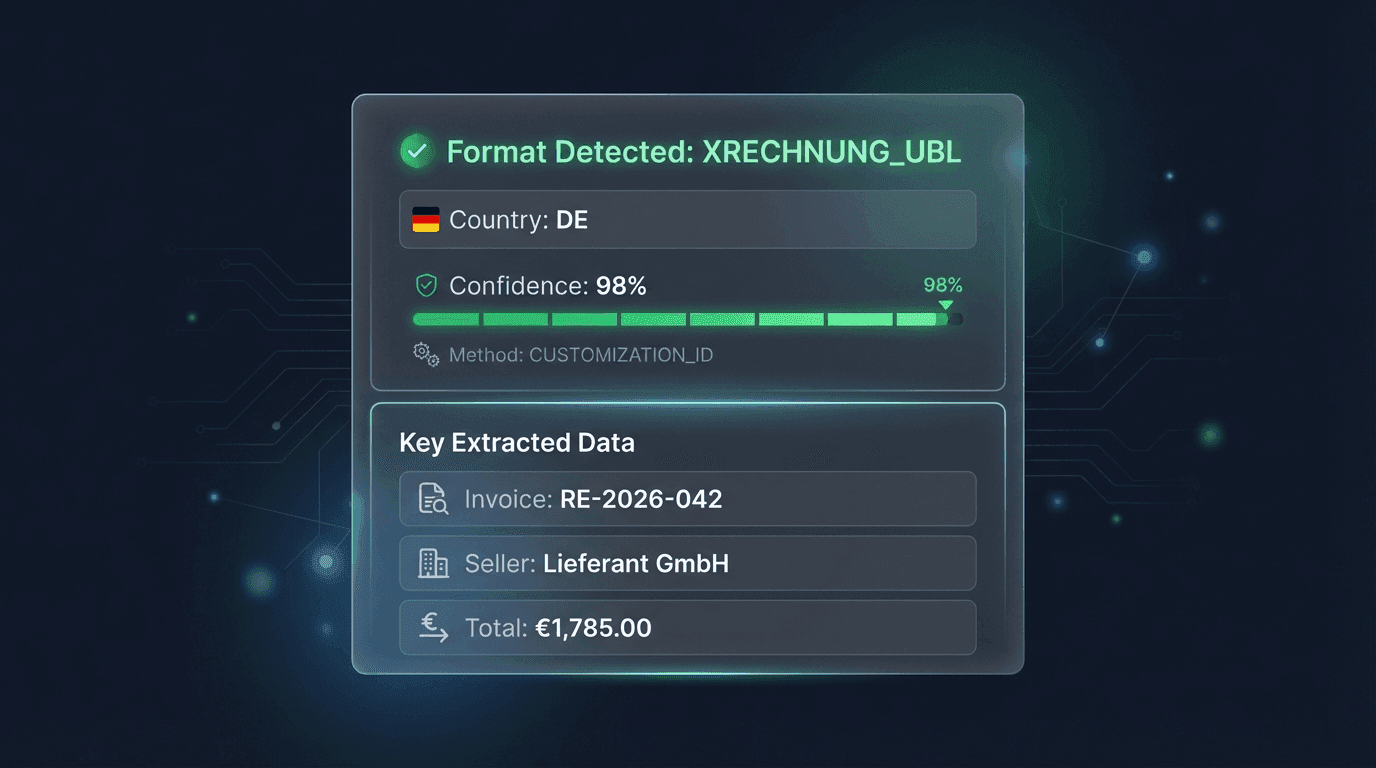
1Method: POST2URL: https://service.invoice-api.xhub.io/api/v1/invoice/parse3Authentication: Header Auth4 Header Name: x-api-key5 Header Value: {{ $credentials.invoiceApiKey }}6Body Type: Binary7Content Type: auto8Send Binary Data: enabledThe API automatically detects whether the file is an XRechnung (UBL/CII), ZUGFeRD, Factur-X, or another format. The response includes a detection object:
1{2 "detection": {3 "format": "XRechnung",4 "formatVersion": "3.0.2",5 "syntax": "CII",6 "countryCode": "DE",7 "confidence": 98,8 "formatMethod": "schemaAnalysis"9 },10 "invoice": {11 "invoiceNumber": "INV-2026-001",12 "issueDate": "2026-05-01",13 "seller": {14 "name": "Sample Supplier GmbH",15 "vatId": "DE123456789"16 },17 "buyer": {18 "name": "Your Company GmbH"19 },20 "countrySpecific": {21 "countryCode": "DE",22 "leitwegId": "991-12345-67"23 },24 "total": 1190.00,25 "currency": "EUR"26 }27}Key fields in the detection object:
| Field | Meaning |
|---|---|
format | Detected format (XRechnung, ZUGFeRD, Factur-X, UBL, CII) |
countryCode | Country code of the format (DE, FR, IT, etc.) |
confidence | Detection confidence score (0–100) |
formatMethod | Detection method (schemaAnalysis, namespaceDetection, profileId) |
More on the API: Find the full reference in the n8n integration documentation.
Step 3: Validate – Check the Invoice Against Official Rules
Add another HTTP Request node that validates the parsed invoice:
1Method: POST2URL: https://service.invoice-api.xhub.io/api/v1/invoice/de/validate3Authentication: Header Auth4 Header Name: x-api-key5 Header Value: {{ $credentials.invoiceApiKey }}6Body Type: Binary7Send Binary Data: enabledThe Validate API checks the invoice against:
- Schema validation – Does the XML structure conform to the standard?
- Schematron business rules – Are all required fields present? Do the calculations add up?
- Country-specific rules – DE: XRechnung conformity, Leitweg-ID, etc.
The response contains the validation status:
1{2 "valid": false,3 "errors": [4 {5 "code": "BR-DE-01",6 "severity": "error",7 "message": "An invoice (BG-0) must contain a Buyer reference (BT-10).",8 "location": "/Invoice/cac:AccountingCustomerParty"9 }10 ],11 "warnings": [12 {13 "code": "BR-DE-15",14 "severity": "warning",15 "message": "The element 'Payment terms' (BT-20) should be provided."16 }17 ]18}Step 4: IF Branch – Success or Error
Add an IF node to branch the workflow based on the validation result:
Condition:
1{{ $json.valid }} equals trueSuccess: Google Drive Upload
When the invoice is valid, it gets automatically archived to Google Drive.
Add a Google Drive node:
| Setting | Value |
|---|---|
| Operation | Upload File |
| Folder | /E-Invoices/{{ $now.format('yyyy/MM') }} |
| File Name | {{ $json.invoice.invoiceNumber }}_{{ $json.invoice.seller.name }}.xml |
| Binary Data | enabled |
Invoices are automatically sorted into monthly folders – perfect for compliant archiving.
Error: Slack Alert
When validation fails, a Slack alert is sent.
Add a Slack node:
| Setting | Value |
|---|---|
| Operation | Send Message |
| Channel | #invoice-inbox |
Message:
1:warning: Invalid e-invoice detected!2 3Invoice: {{ $json.invoice.invoiceNumber }}4Supplier: {{ $json.invoice.seller.name }}5Format: {{ $json.detection.format }}6 7Errors:8{{ $json.errors.map(e => `• [${e.code}] ${e.message}`).join('\n') }}9 10Please review manually.This ensures the responsible team is notified immediately – with all relevant details and specific error codes.
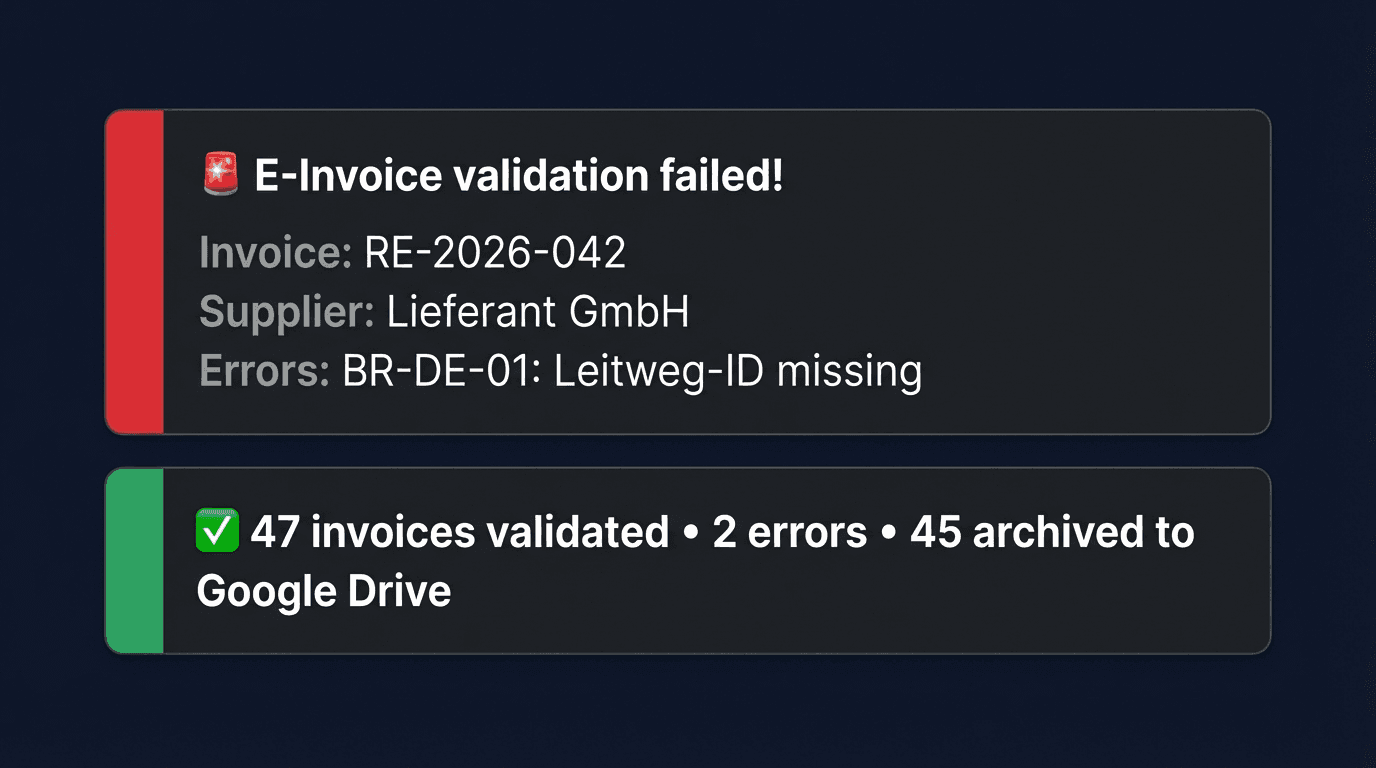
Common Validation Errors
These errors come up most frequently in practice:
| Error Code | Rule | Description | Common Cause |
|---|---|---|---|
| BR-DE-01 | Buyer reference required | An invoice must contain a Buyer reference (BT-10) | Missing on invoices to public sector buyers |
| BR-DE-15 | Payment terms | The element Payment terms (BT-20) should be provided | Payment deadline not specified |
| BR-CO-10 | Sum calculation | The sum of invoice line amounts must equal the total | Rounding errors in net amounts |
| BR-S-08 | VAT category | Each invoice line with standard VAT must include a tax rate | Tax rate missing on individual line items |
Tip: Use the error code as a search term in the n8n integration docs to find specific solutions.
Download the Workflow Template
You can download the complete workflow as a JSON template and import it directly into n8n:
Import via Settings → Import Workflow in your n8n instance. You only need to add your API credentials and Slack/Google Drive connections.
Extension Ideas
The base workflow can be extended in many ways:
Accounting Export
The parser response returns the invoice as structured JSON (header, parties, line items, taxes). From those fields you build your accounting system's export format in a Set node. The API does not produce a DATEV target format: /api/v1/invoice/convert only converts between the e-invoice formats (XRechnung, ZUGFeRD, Factur-X).
Duplicate Detection
Store invoice numbers and supplier IDs in a database (e.g., Airtable or PostgreSQL). Before archiving, use an IF node to check whether an invoice with the same number already exists – preventing duplicate bookings.
PDF Preview Generation
Use the Generate API from Invoice-api.xhub to automatically create a PDF preview from the validated XML invoice. This can be archived alongside the XML file – handy for team members who can't read XML.
Confidence-Based Routing
Use the confidence field from the auto-detection: if the value is below 90, route the invoice for manual review instead of processing it automatically.
Conclusion
With n8n and Invoice-api.xhub, you can automate the entire incoming invoice process – from email to archive. The workflow:
- Detects the invoice format automatically
- Validates against official standards and business rules
- Archives valid invoices in a compliant manner
- Escalates errors immediately to the responsible team
The best part: you don't need to write a single line of code. The entire logic is built visually in n8n.
Ready to get started?