
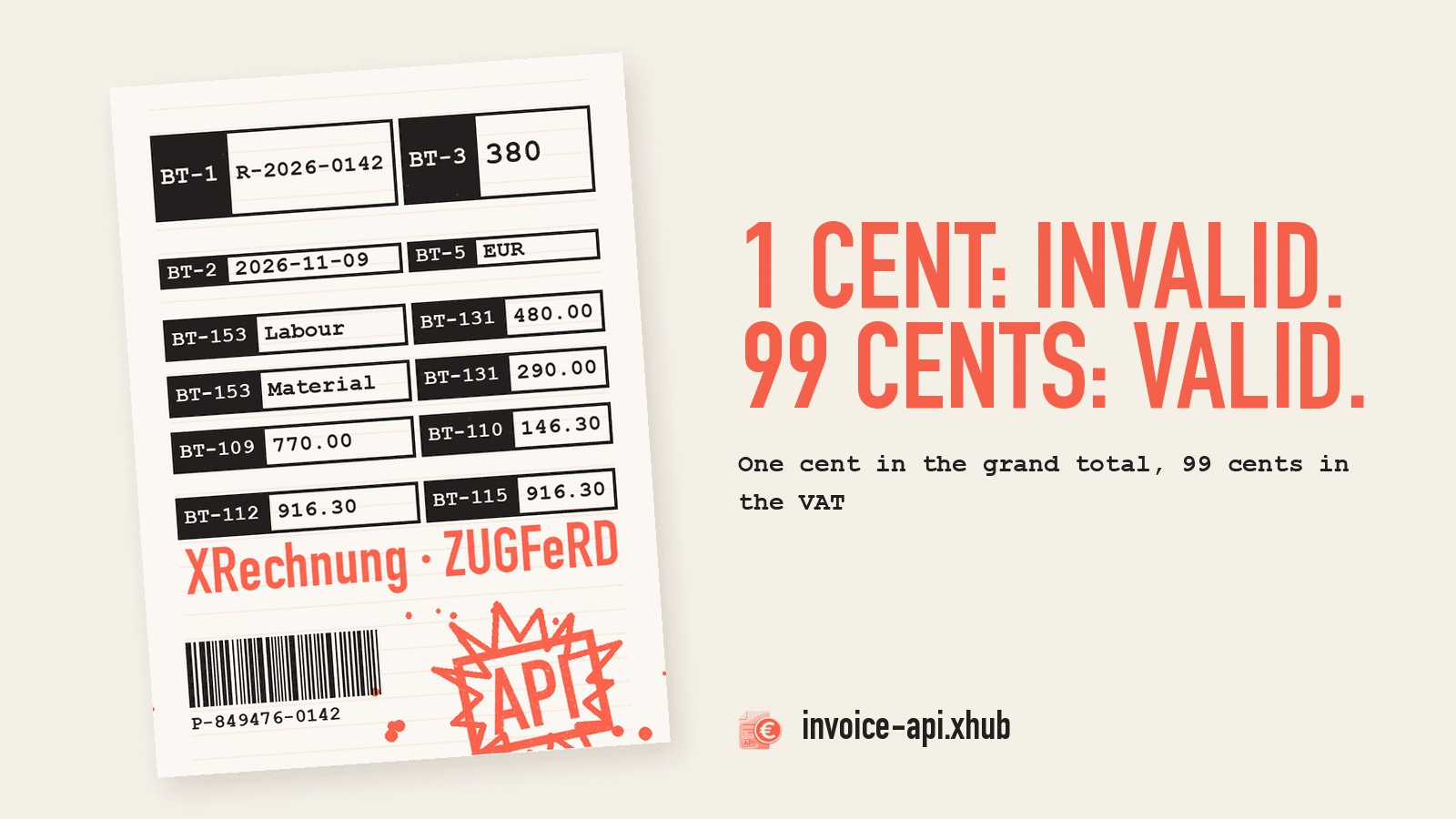
We sent a small invoice for €916.30 as an XRechnung to POST /api/v1/invoice/de/xrechnung/generate, once correct and then with deliberate errors. The result:
| Variant | What we changed | Response |
|---|---|---|
| correct | nothing | 200, valid |
| grand total +0.01 | BT-112 = 916.31 instead of 916.30 | 422, BR-CO-15 |
| VAT +0.01 | BT-110 = 146.31, grand total to match | 200, valid |
| VAT +0.99 | BT-110 = 147.29, grand total to match | 200, valid |
| VAT +1.00 | BT-110 = 147.30, grand total to match | 422, BR-CO-17 and BR-S-09 |
One cent in the total is enough to be rejected, 99 cents in the VAT is not. That is not a bug in our API, it is how the standard checks. If you don't know this, you rely on a check that lets exactly the more expensive mistake through.
The invoice
Two lines, 19 % VAT. In the video it flips into the fields of the European standard EN 16931:
| Field | Meaning | Value |
|---|---|---|
BT-131 | Line net amount | 480.00 (labour), 290.00 (material) |
BT-109 | Invoice total without VAT | 770.00 |
BT-110 | Invoice total VAT amount | 146.30 |
BT-112 | Invoice total with VAT | 916.30 |
BT-115 | Amount due for payment | 916.30 |
Add the invoice number (BT-1), date (BT-2), invoice type (BT-3), currency (BT-5) and item names (BT-153). We tested XRechnung in UBL syntax. Company names, VAT IDs and the IBAN in our requests are sample data.
Why the one cent fails
The standard's sum rules are exact. BR-CO-15 requires BT-112 = BT-109 + BT-110, with no tolerance. 770.00 + 146.30 is 916.30, not 916.31. The API answers with HTTP 422 (trimmed of filename, mimeType, hash, payloadHash and warnings):
1{2 "success": false,3 "format": "xrechnung",4 "data": "…",5 "complianceErrors": [6 {7 "code": "SPEC_RULE_FAILED",8 "rule": "BR-CO-15",9 "message": "[BR-CO-15]-Invoice total amount with VAT (BT-112) = Invoice total amount without VAT (BT-109) + Invoice total VAT amount (BT-110).",10 "field": "/Q{urn:oasis:names:specification:ubl:schema:xsd:Invoice-2}Invoice[1]"11 }12 ]13}data still contains the generated XML, so you can see what the check rejected. You should not send it.
The neighbouring rules work the same way: BR-CO-13 (BT-109 = sum of BT-131 − allowances + charges) and BR-CO-16 (BT-115 = BT-112 − amount already paid + rounding).
Why 99 cents get through
The VAT is checked by other rules, BR-CO-17 and, for the standard rate, BR-S-09. BR-CO-17 reads: VAT category tax amount = taxable amount × rate, rounded to two decimals. The standard's official Schematron is more lenient, though. In essence it says:
1|tax amount| − 1 < round(taxable amount × rate) < |tax amount| + 1So the stated tax amount may differ from the calculated one by up to 99 cents. For 770.00 × 19 %, 146.30 is correct. Measured: 145.31 and 147.29 pass, 145.30 and 147.30 fail on BR-CO-17 and BR-S-09. A system that rounds VAT per line and then adds it up is off by at most half a cent per line. On small invoices that stays well within the tolerance.
Valid does not mean correct here. Under German law, whoever shows more VAT on an invoice than they owe also owes the excess until they correct the invoice (§ 14c (1) UStG). Validation does not protect you from that. Compute the VAT yourself, per rate from the taxable amount, and don't treat a passed check as proof that the amount is right:
1// per VAT rate, not per line2const net = round2(sum(linesWithRate.map((l) => l.netAmount)));3const tax = round2((net * rate) / 100);4const total = round2(net + tax);What a down payment changes
A second case: the customer has paid €300 in advance. We sent the same invoice with prepaidAmount: 300. Result, valid:
| Field | Value |
|---|---|
BT-109 Invoice total without VAT | 770.00 |
BT-110 VAT | 146.30 |
BT-112 Invoice total with VAT | 916.30 |
BT-113 Paid amount | 300.00 |
BT-115 Amount due for payment | 616.30 |
The down payment only lowers the amount due. The taxable base and the VAT stay, because the customer paid earlier, not less. If you subtract the €300 from the net total instead, the API rejects the request before generating anything: Subtotal (470) does not match sum of items (770). Difference: 300. The second message in the same response shows that the taxable amount has a tolerance too: BR-S-08 … requires 469 < sum < 471.
Two kinds of 422
Our very first run failed on something else. The buyer reference BT-10, which every XRechnung needs under BR-DE-15, sat in the wrong place in our JSON: at the top level instead of in countrySpecific. For public-sector buyers it holds the Leitweg-ID, otherwise for example the customer's order number. The response, also HTTP 422, looked different (trimmed):
1{2 "success": false,3 "data": "",4 "errors": [5 {6 "code": "DE_REF_002",7 "rule": "BR-DE-15",8 "message": "Käuferreferenz (BT-10) ist für XRechnung Pflicht (BR-DE-15). Bitte eine Käuferreferenz oder Leitweg-ID (B2G) angeben.",9 "field": "countrySpecific.buyerReference"10 }11 ]12}Here the API did not generate anything. errors points with field to the field in your JSON. With complianceErrors the document was generated and then checked, and field is an XPath into the XML. For error handling this means: with errors you fix the input, with complianceErrors usually your calculation logic.
The second run failed on BR-DE-1: an XRechnung needs payment instructions (BG-16), and we had sent neither bank details nor a payment method. It became valid with seller.bankAccount.iban and countrySpecific.paymentMeansCode: "58" (SEPA credit transfer).
Try it yourself
In the Playground you can generate an invoice without your own key and look at the response. Field names are in the field reference, and the Quickstart covers getting started with your own key.