
Many of us keep an AI agent open all day: in the terminal, in the editor, in the chat. The invoice at the end of the month still gets written somewhere else – in invoicing software, in a template, or with our own script against an API.
As of today, the agent can do it too. We have released three Agent Skills that create and check e-invoices via invoice-api.xhub. They are open source (MIT), live on GitHub and install with one command:
1npx skills add xhubio/invoice-api.xhub-skillsThe three skills
| Skill | What it does |
|---|---|
invoice-create | Collects the invoice data from the conversation, computes line amounts, VAT and totals, generates ZUGFeRD or XRechnung with validation and saves the file, JSON and validation report. |
invoice-read | Reads an e-invoice as PDF or XML, extracts number, parties, lines and totals, and reports validation errors and warnings. |
invoice-template-from-pdf | Rebuilds your existing invoice PDF as an invoice-api template and compares the result side by side with the original until they match. |
Using them takes no command: just write to the agent as you would to a colleague. One sentence gets you started, and the skill asks for the rest. Three typical openers:
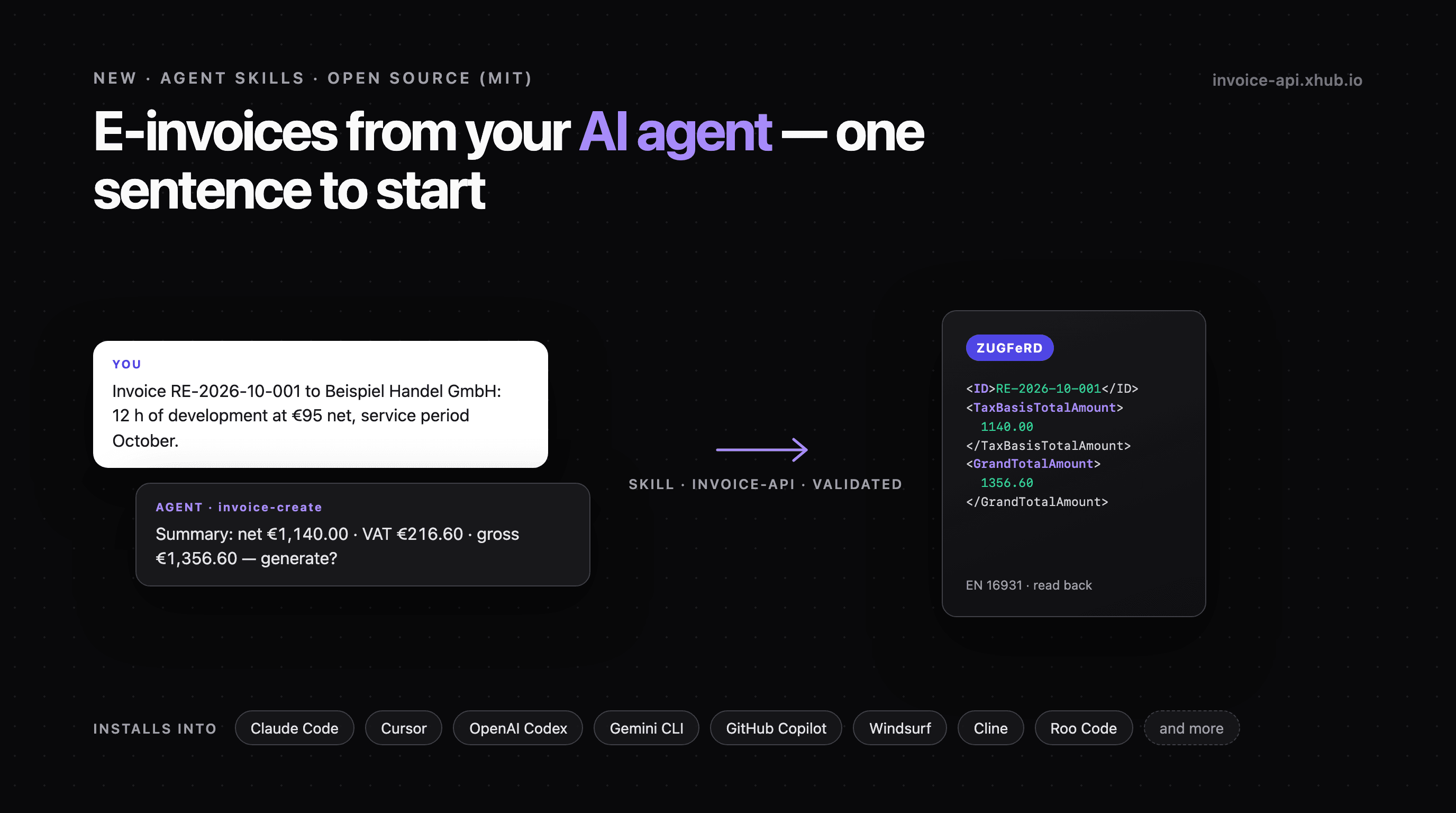
- “Create an invoice for Beispiel Handel GmbH: 12 hours of development at €95 net, service period October.”
- “Is this XRechnung valid? What does it contain?”
- “Turn our current invoice (invoice.pdf) into an invoice-api template.”
One run from start to finish
This is what an invoice with invoice-create looks like, shortened and with sample data. The agent's wording varies by model; the steps stay the same. Your own company details are already in an invoice-seller.json here, so the agent does not ask for the seller.
You: Invoice Beispiel Handel GmbH for 12 hours of development at €95 net, service period October.
Agent: I still need three things: the address of Beispiel Handel GmbH, the next free number from your invoice sequence and the payment terms.
You: Musterstraße 1, 10115 Berlin. RE-2026-10-001, 14 days. Issue date 31 October.
Agent: Before I generate, here is the summary:
- Buyer: Beispiel Handel GmbH, Musterstraße 1, 10115 Berlin
- Development: 12 h × €95.00 = €1,140.00 net
- VAT 19% (standard rate): €216.60 · gross €1,356.60
- Issue date 31 October 2026, service period 1–31 October 2026, payable within 14 days
Generate as ZUGFeRD?
You: Yes.
Now the agent runs the skill's script. It computes the amounts, has the invoice generated and validated, and reads it back. Its output, shortened:
1{2 "ok": true,3 "http": 200,4 "document": "./invoices/RE-2026-10-001.pdf",5 "subtotal": 1140.0,6 "total": 1356.6,7 "readBack": { "http": 200, "matches": true }8}ok: true means: generated, validated against schema and Schematron, and read back with matching number and totals. The agent turns this into its report:
Agent: Invoice RE-2026-10-001 is at
invoices/RE-2026-10-001.pdf, with the JSON and validation report alongside. Net €1,140.00, gross €1,356.60. Validation passed, and reading it back gives the same number and totals. I have not sent anything.
Had validation reported an error, you would see ok: false with the rule codes. The agent then explains them in plain words, fixes the data and generates again with the same number – it had not been issued yet.
Why the flow is built this way
On an invoice every number matters. That is why invoice-create is written so the agent decides as little as possible on its own:
- Ask for what is missing, invent nothing. The skill only asks for what is missing: buyer, lines, payment terms, service period. The invoice number comes from your own sequence; if the agent cannot see it, it asks.
- Show first, then generate. Before the API call you get a short summary with buyer, lines, net, VAT, gross and dates. Nothing is generated until you say go – unless you told it beforehand to generate right away.
- A script does the maths, not the language model. Line amount = quantity × unit price, tax per rate on the summed net amounts, rounded to cents. A Python script in the skill does this, not the language model from memory.
- Generate, validate, read back. The API generates ZUGFeRD (PDF with embedded XML) or XRechnung and validates the result against schema and Schematron. The skill then reads the file back and compares number and totals with what it sent.
- Report, don't send. At the end the file path, totals and validation result are in the chat, warnings included. Nothing is sent – that stays your step.
Which agents?
The skills are written for Claude Code and Claude Desktop. Claude Code also has a plugin route:
1/plugin marketplace add xhubio/invoice-api.xhub-skills2/plugin install invoice-api@xhubioThe skills CLI installs the same skills into other agents too. Pick the agent with -a, e.g. -a cursor or -a codex. On 24 October 2026 we checked the installation in an empty project for Cursor, OpenAI Codex, Gemini CLI, GitHub Copilot, Windsurf, Cline, Roo Code, OpenCode, Goose, Zed, Junie, Amp and Kiro.
To be clear: what we checked there is the installation, not the execution. Every agent needs permission to run Python scripts. If you use the skills in one of these agents, we would love to hear whether it works.
Setup
- Get an API key. Create an account, copy the key. The free plan includes a key.
- Store the key, as an environment variable or in a
.envfile in the working directory:
1INVOICE_XHUB_API_KEY=sk_live_...- Python 3.8 or later.
invoice-createandinvoice-readonly use the standard library.invoice-template-from-pdfalso needspip install pdfplumber pillow.
The scripts never print the key and never write it into a generated file. Keep the .env out of your repository.
Limits you should know
- Every call counts. The skills call the API like any other integration. An invoice with validation counts as at least two units, because validation is a unit of its own. The layout rebuild renders several times to compare, and each render is a call. What your plan includes is on the pricing page.
- The data goes to the API. Invoice data and uploaded PDFs go to invoice-api.xhub.io like any API call. How we handle them is described under Security.
- Skills run with your agent's permissions. Look at them before first use; the source code is public.
- Formats. ZUGFeRD (EN 16931) and XRechnung (UBL) are tested. An XRechnung needs the buyer's Leitweg-ID and a seller contact with name, phone and email.
Next
- Docs page with all installation routes: Agent Skills
- Source code and changelog: github.com/xhubio/invoice-api.xhub-skills
- The API behind it: Quickstart
Claude is a trademark of Anthropic, PBC; Cursor, OpenAI Codex, Gemini CLI, GitHub Copilot, Windsurf and the other agents named are trademarks of their respective owners. invoice-api.xhub is not affiliated with any of these providers.