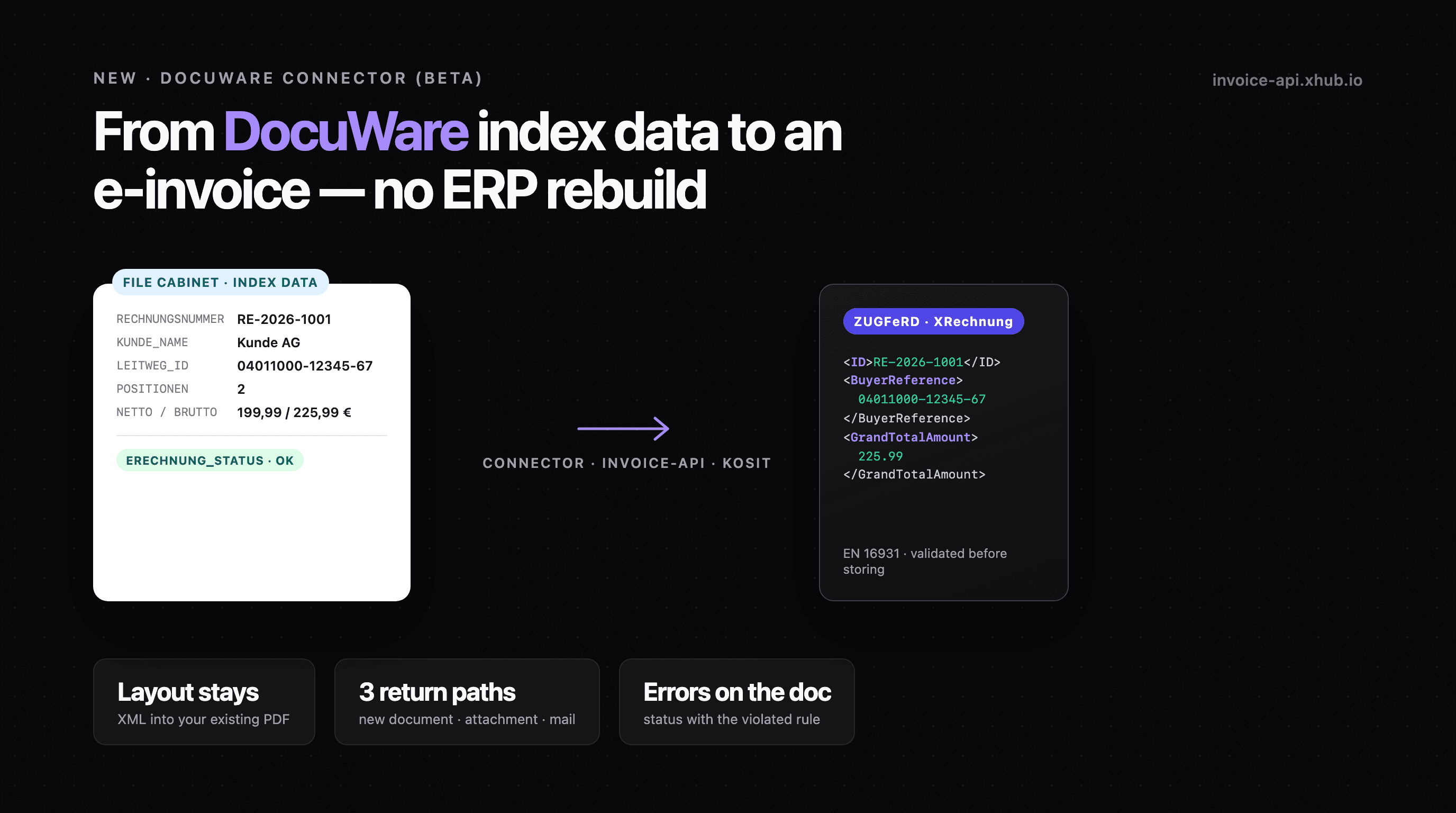
The ERP writes the invoice as a PDF, DocuWare stores and indexes it: invoice number, date, customer, net and gross total, often a table of line items as well. Then the PDF goes to the customer.
Under the German issuing mandate the PDF is no longer enough for B2B. What is required is a structured EN 16931 dataset, i.e. XRechnung or ZUGFeRD. The values for it are already in the index fields of the file cabinet.
Our DocuWare connector creates the e-invoice from this index data. It is available as a beta from today. We set it up together with you.
The flow
- Approval in DocuWare. A "Web service" workflow step or a webhook in DocuWare reports the approved invoice to the connector.
- Read the data and recompute. The connector fetches index fields and line items via the DocuWare Platform API. It computes line amounts and tax per rate itself and compares the result with the total fields in the file cabinet. If the totals differ, it stops and creates no e-invoice.
- Create the e-invoice. The invoice-api creates XRechnung or ZUGFeRD, or embeds the XML into the existing PDF. The result is checked against XSD and Schematron before it is stored: an XRechnung under the XRechnung rules (KoSIT), a ZUGFeRD under the ZUGFeRD Schematron and the EN 16931 rules.
- Back into DocuWare. The e-invoice goes into the file cabinet. The original carries status, error text and timestamp.
Formats and return paths
Format. For public-sector buyers a pure XRechnung with Leitweg-ID. For business customers ZUGFeRD, either from a template or from the PDF that already sits in DocuWare. In the second case the embed endpoint takes your PDF as the carrier and embeds the XML. The invoice layout does not change.
Return path. Which one fits depends on the rights the connector gets in DocuWare:
| Return path | What happens | Rights in DocuWare |
|---|---|---|
| New document | Stored via REST, linked through the DocId of the original; the original stays untouched | read and write |
| Attachment | The e-invoice is added to the original as another file | read and write |
| By mail | Sent to an import mailbox that DocuWare picks up via Connect to Mail | read only |
On the mail path the connector needs no write access to the file cabinet. The status fields are then left out.
Errors sit on the document
The connector writes the result into index fields on the original:
| Field | Example |
|---|---|
ERECHNUNG_STATUS | FEHLER (error) |
ERECHNUNG_FEHLER | BR-DE-15: Leitweg-ID missing |
ERECHNUNG_ZEIT | time of processing |
Accounting adds the missing field in DocuWare. On the next trigger the document is processed again.
If the same source data has already been processed successfully, the connector skips the document. After an error it only runs again once the data has changed. Otherwise writing the status back would trigger the webhook again. The connector keeps this state in a file, so it survives a restart.
The mapping
Which index field supplies which part of the e-invoice is defined in one mapping file per file cabinet. Your seller master data is stated there once, not in every document:
1{2 "mode": "embed",3 "format": "zugferd",4 "fields": {5 "invoiceNumber": "RECHNUNGSNUMMER",6 "issueDate": "RECHNUNGSDATUM",7 "buyer.name": "KUNDE_NAME",8 "countrySpecific.buyerReference": "LEITWEG_ID"9 },10 "items": {11 "table": "POSITIONEN",12 "columns": { "description": "POS_TEXT", "quantity": "POS_MENGE",13 "unitPrice": "POS_EINZELPREIS", "taxRate": "POS_UST" }14 },15 "checks": { "netTotalField": "NETTO", "grossTotalField": "BRUTTO" },16 "output": { "target": "newDocument" }17}The field names are examples. In the mapping session we map your actual fields.
Limits of the beta
- Set up with us. Every connection is set up together and tested with your sample documents before go-live.
- Line items as a table field. The connector reads no data from the PDF. Line items have to be stored in the file cabinet as a table field.
- DocuWare Cloud. On-premises installations on request. There it depends on whether the connector can reach the Platform API.
- German formats. XRechnung and ZUGFeRD.
Request a beta slot
Tell us briefly how your file cabinet is set up. We will get back to you with a date for the mapping session and a quote for your case.
Flow and limits in detail: DocuWare connector (beta). For other document management systems: E-invoices from your DMS.
DocuWare is a trademark of DocuWare GmbH. invoice-api.xhub is not a partner of DocuWare GmbH; the connector uses the publicly documented DocuWare Platform API.