Großes PDF-Editor-Update
15. Juli 2026Der Template-Editor (V2) in der Console zeigt beim Gestalten jetzt, wie das PDF wirklich aussehen wird: echte Beispieldaten statt Platzhalter, Bearbeiten direkt auf der Seite und klare Warnungen, bevor etwas abgeschnitten wird.
Beispieldaten live
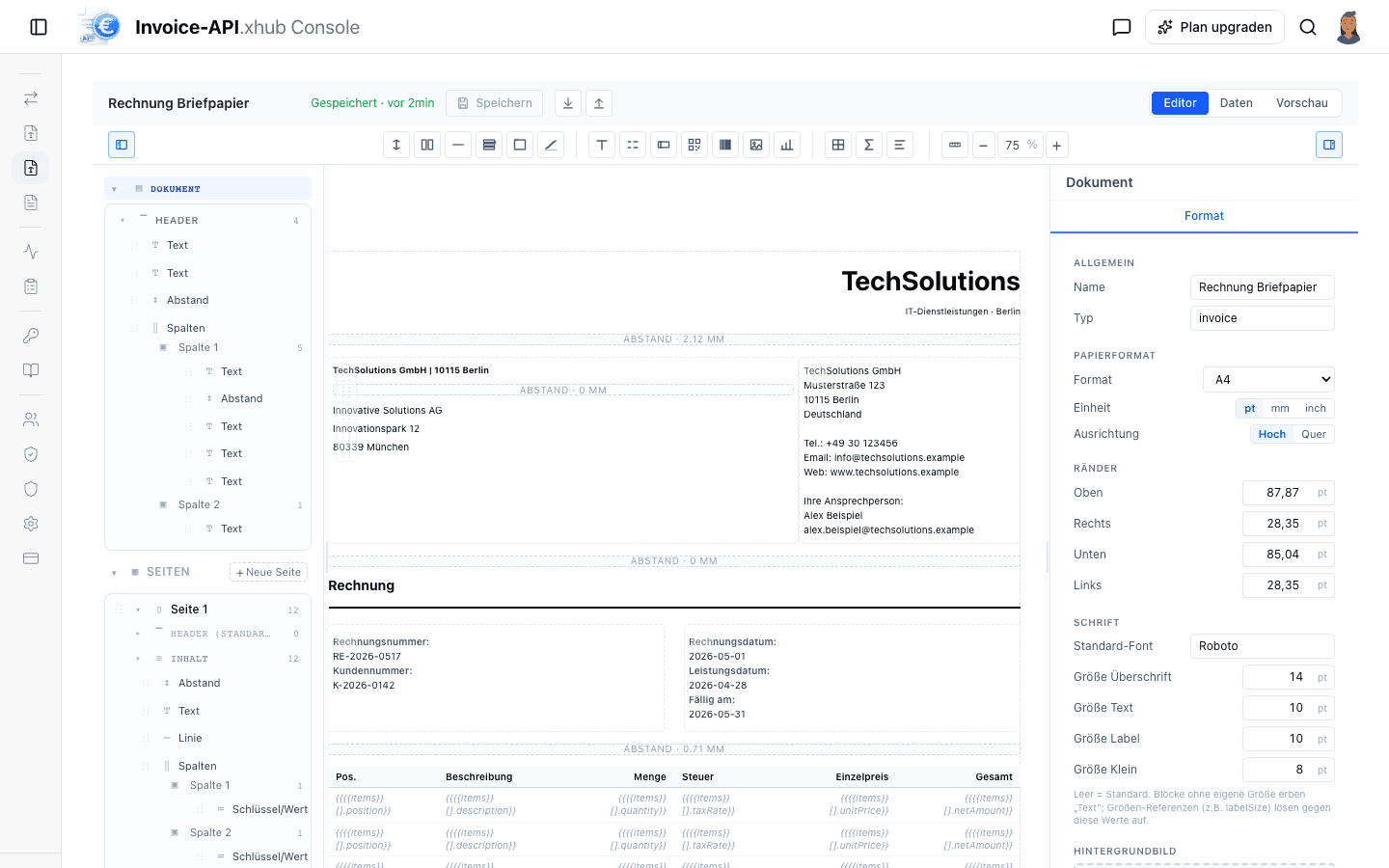
Der Canvas zeigt echte Werte aus den Beispieldaten — kein Rätselraten mehr, wie {{invoiceNumber}} aussehen wird.
Inline-Bearbeitung
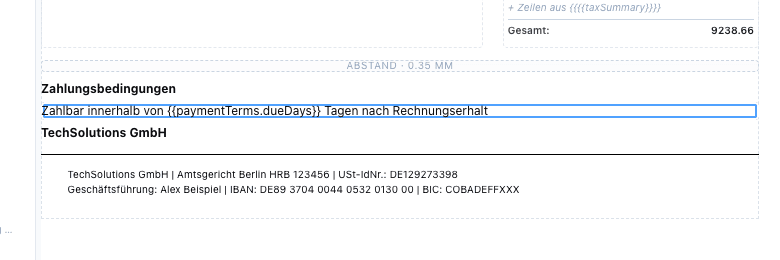
Doppelklick auf einen Text und direkt auf der Seite schreiben — beim Tippen zeigt der Editor die Platzhalter-Ansicht.
Schnittlinie für Header/Footer
Eine gestrichelte Linie markiert, wo das PDF Kopf-/Fußzeilen abschneidet — mit Warnung bei Überlauf.
Schnelleres Arbeiten
Block-Kontextmenü, Seiten-Verwaltung, Felder-Übersicht, dokumentweite Schriftgrößen und maßhaltige Bilder.
Gestalten mit echten Beispieldaten
Bisher zeigte der Canvas rohe Platzhalter wie {{seller.name}} — das echte Ergebnis gab es erst in der Vorschau. Jetzt setzt der Editor die Beispieldaten direkt beim Gestalten ein: Adressen, Rechnungsnummern, Daten und Summen erscheinen so, wie sie im fertigen PDF stehen.
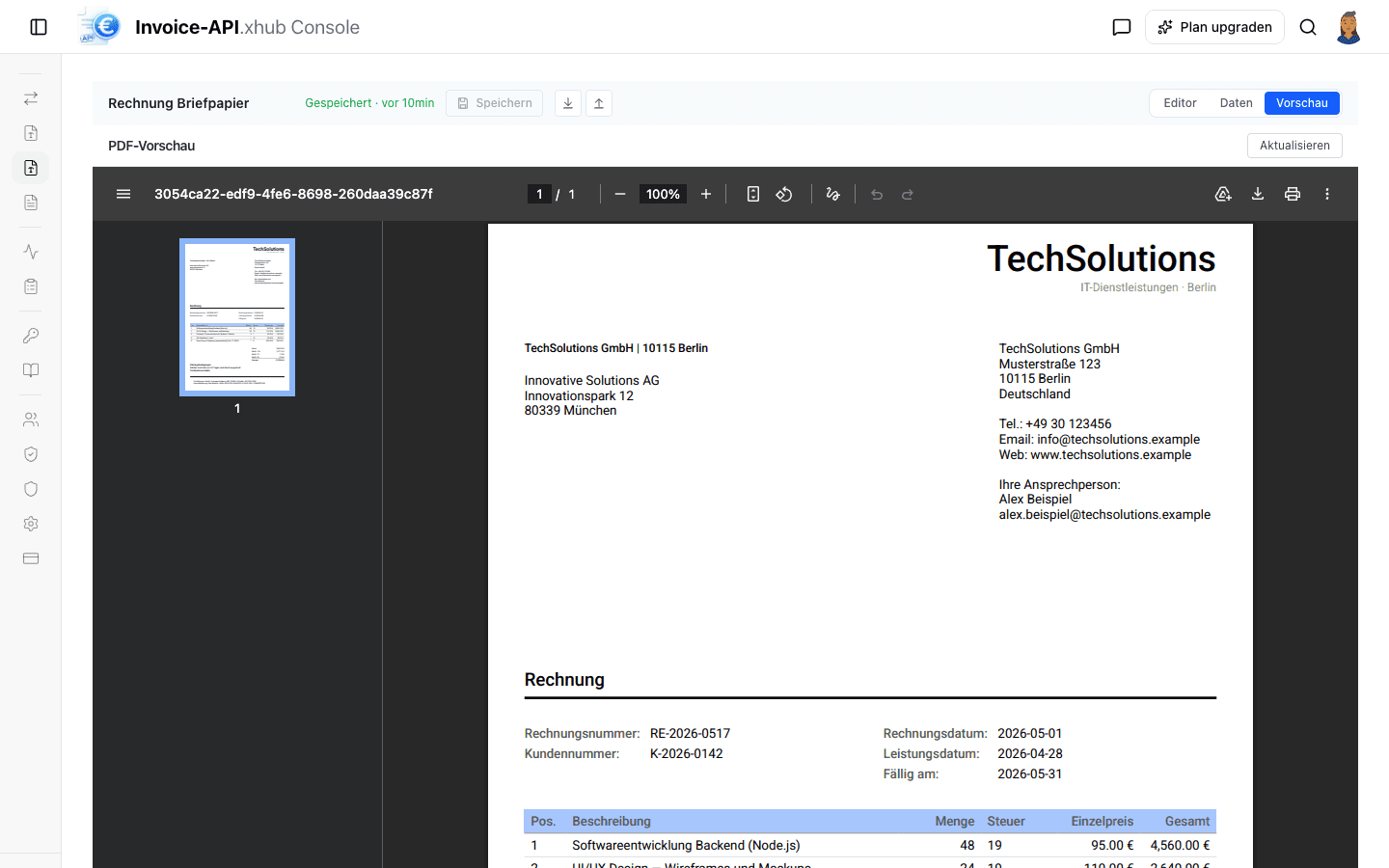
Der Vorschau-Tab nutzt dieselbe Render-Pipeline wie das fertige PDF — was dort steht, liefert auch die API.
Felder-Übersicht aus den Daten
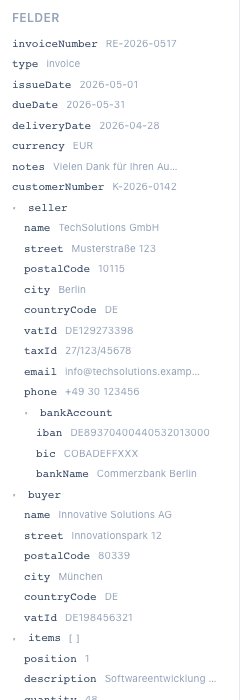
Die Seitenleiste listet jetzt alle Felder der Beispieldaten als Baum — Verkäufer, Käufer, Positionen, Summen — jeweils mit aktuellem Wert. Ein Klick fügt das Feld in den ausgewählten Text-Block ein; Platzhalter-Pfade müssen nie wieder von Hand getippt werden. Die Übersicht ersetzt das bisherige Snapshots-Panel.
Text direkt auf der Seite bearbeiten
Doppelklick auf einen Text-Block und lostippen — ohne Umweg über das Eigenschaften-Panel. Während der Bearbeitung zeigt der Block die rohen Platzhalter, damit klar bleibt, was fester Text ist und was aus den Daten kommt; die Blöcke drumherum zeigen weiter die eingesetzten Werte.
Auch die Tastatur-Shortcuts wurden aufgeräumt: Während des Tippens in einem Textfeld funken Block-Shortcuts (z.B. Entfernen) nicht mehr in Zwischenablage und normale Bearbeitung hinein.
Header/Footer-Höhe in mm + Schnittlinie
Kopf- und Fußzeile haben im PDF eine feste Höhe — was darüber hinausgeht, wird stillschweigend abgeschnitten. Der Editor macht das jetzt sichtbar: Eine gestrichelte Linie markiert exakt, wo das PDF schneidet, und ragt der Inhalt darüber hinaus, sagt ein Warn-Badge, um wie viel.
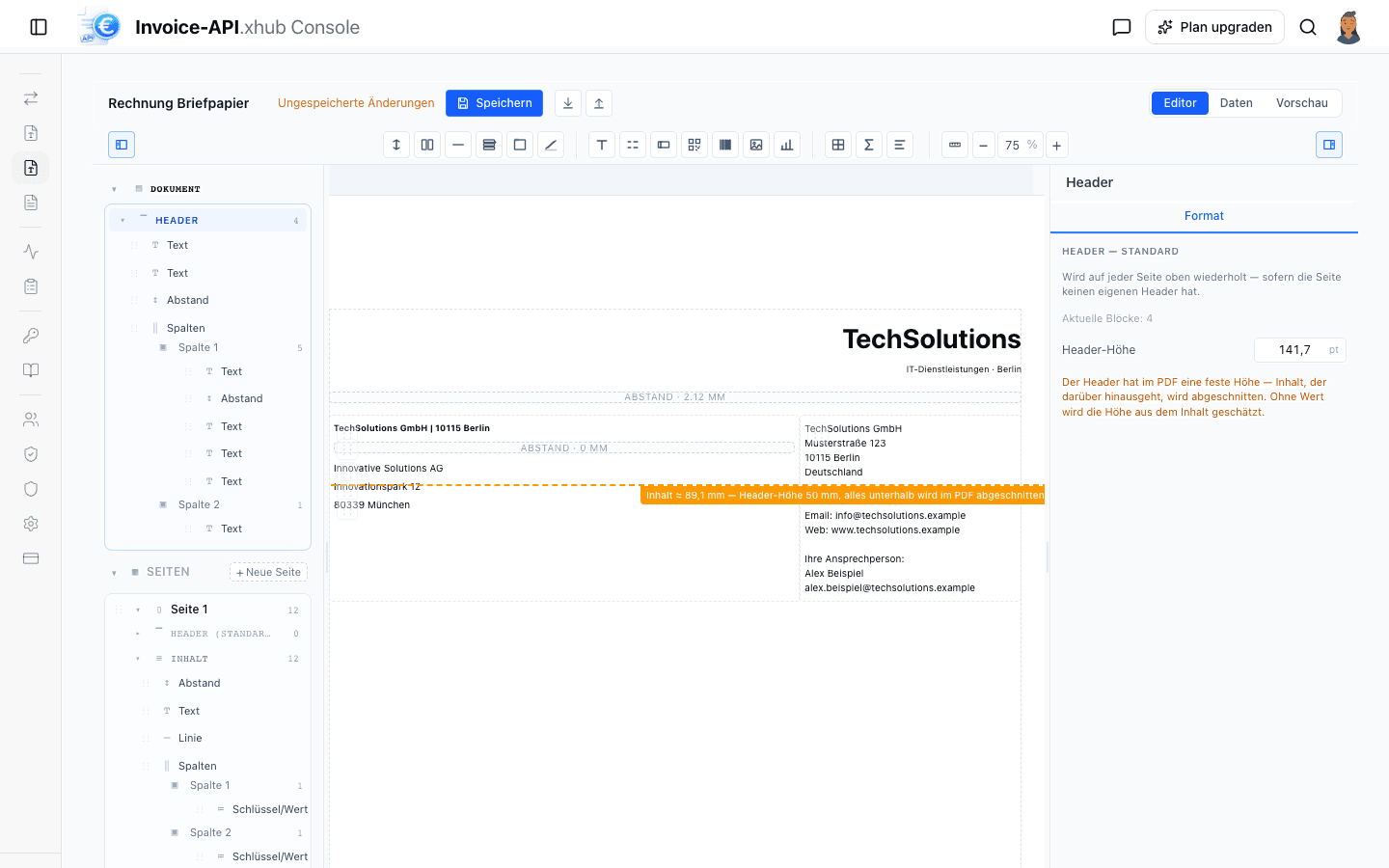
Bug-Fix inklusive: Das Höhen-Feld interpretierte Werte bisher in Punkt, während das PDF Millimeter erwartete — eine eingetragene „125“ reservierte 354 mm. Das Feld rechnet jetzt durchgängig in mm (und konvertiert korrekt, wenn das Dokument pt oder inch nutzt).
Seiten und Blöcke schneller verwalten
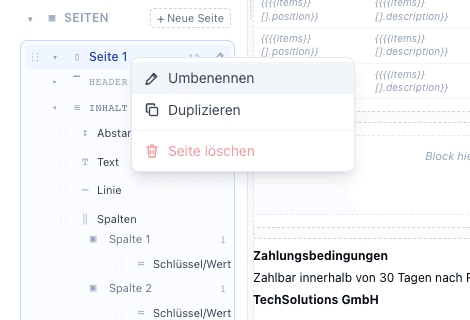
Rechtsklick auf eine Seite in der Seitenleiste: Umbenennen, Duplizieren oder Löschen — das Löschen einer Seite mit Inhalt fragt vorher nach.
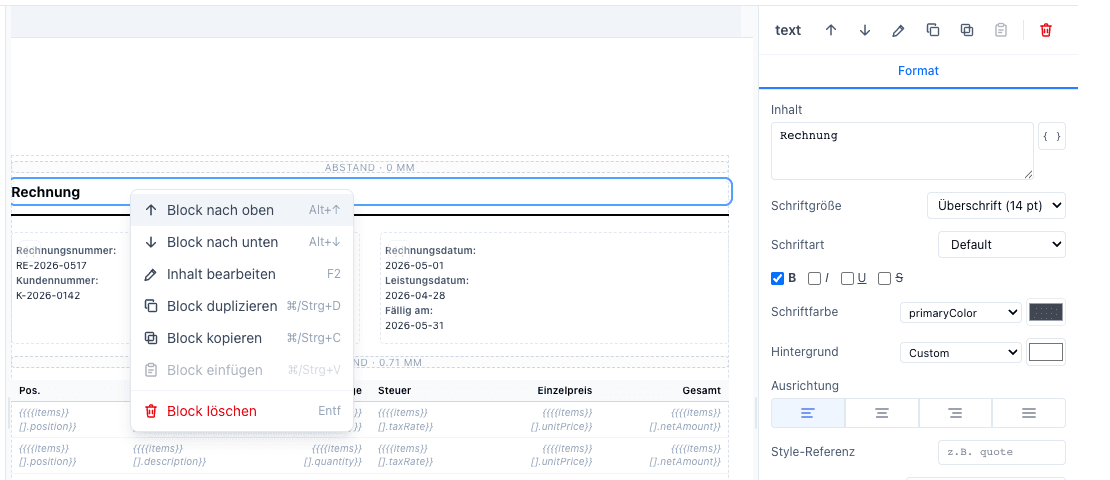
Auch Blöcke auf dem Canvas bekommen ein Kontextmenü — verschieben, bearbeiten, duplizieren, kopieren/einfügen und löschen, jeweils mit sichtbarem Tastatur-Shortcut. Dieselben Aktionen liegen als Icon-Leiste oben im Eigenschaften-Panel.
Dokumentweite Schriftgrößen + maßhaltige Bilder
Überschrift-, Text-, Label- und Klein-Größe einmal am Dokument definieren — Text-Blöcke referenzieren sie („Überschrift (14 pt)“), statt Zahlen festzuschreiben. Ändert sich die Dokument-Größe, ziehen alle Blöcke mit.
Bilder folgen auf dem Canvas exakt den Maß-Regeln des PDF-Renderers: Ein Bild ohne Maßangabe füllt die Inhaltsbreite, statt Pixel als Punkte zu rendern, und das Eigenschaften-Panel zeigt die Originalgröße. Der Upload eines Template-Bundles wird validiert und zeigt Fehler in einem klaren Banner, statt still zu scheitern.