Self-service invoice validator (upload form)
What it does — self-service web form that parses and validates a supplier's e-invoice file against the selected country profile (XRechnung, ZUGFeRD, Factur-X, FatturaPA and 10 other EU formats) and returns VALID / INVALID / PARSE ERROR. Setup ~3 minutes.
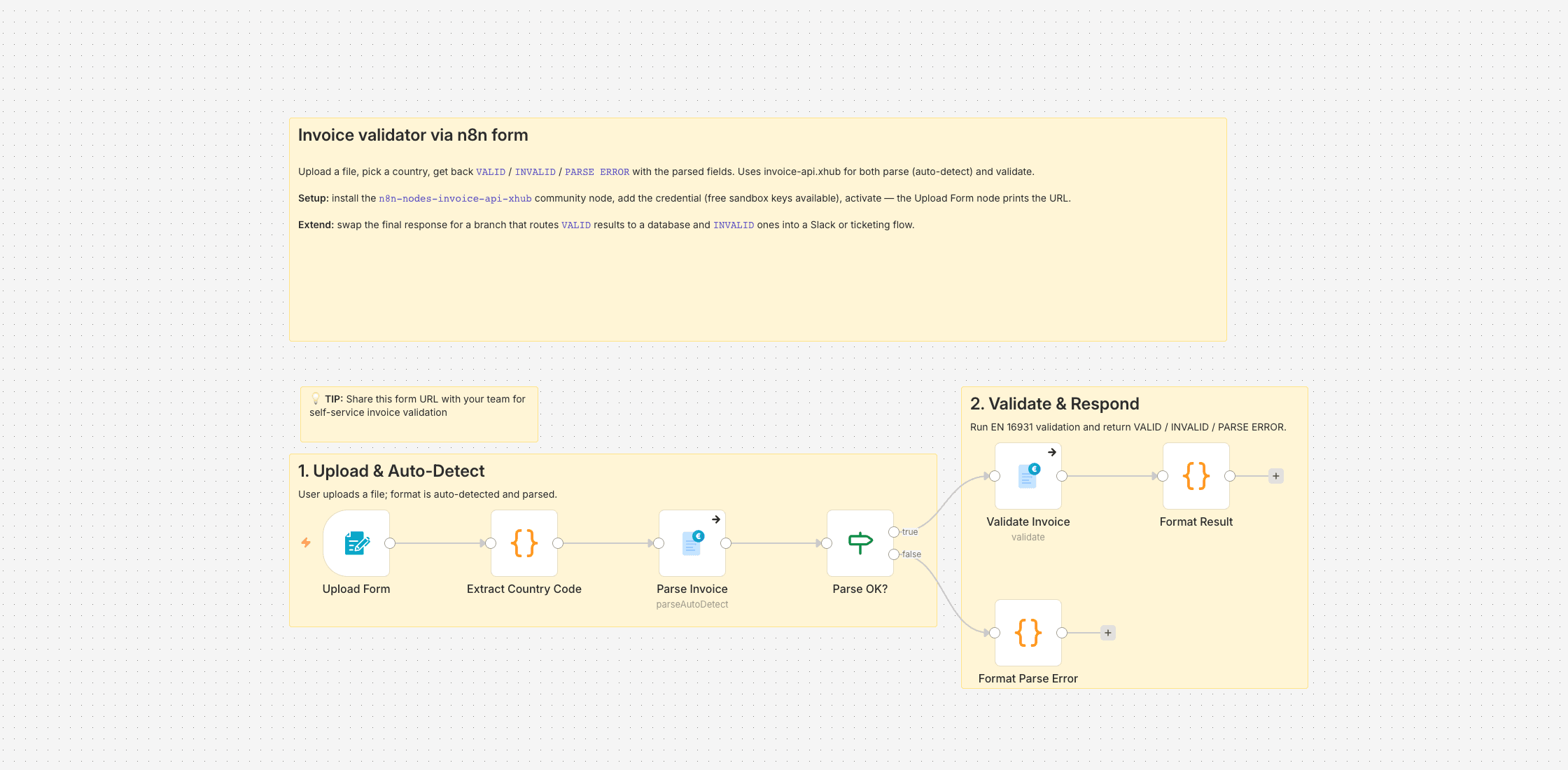
I run n8n as the automation layer for a B2B online shop. Our suppliers send invoices in every shape we buy into — XRechnung XML, ZUGFeRD hybrids, plain PDFs. Before any downstream workflow (booking, reconciliation, payment run) touches a file, I want to know whether it actually parses and validates. Opening an XML in a text editor is useless, and running a desktop validator per invoice is an eight-click detour nobody keeps up with.
So I wired this up: a native n8n form that takes a file and a country, and returns VALID, INVALID, or PARSE ERROR together with the extracted invoice number, seller, buyer, and total. No Gmail, no Sheets, no Drive — the form is the whole UI. I keep the URL for myself most days and share it with whoever on the team needs a quick check.
Under the hood: form input → small Code node to turn the dropdown value into an ISO country code → invoice-api.xhub parse with auto-detect → validate against the country profile → form response with the verdict and fields.
Setup
Install n8n-nodes-invoice-api-xhub via Settings → Community Nodes. Add an invoice-api.xhub credential; free sandbox keys are available. Activate the workflow, copy the URL the Upload Form node prints, done.
Good to know
- Works for every country the API supports. I left the common European ones in the dropdown because that's what we see; trim it to your reality.
- The response is JSON you can read in the browser tab. If you want HTML output, swap the final response node for a Set + HTML stage.
Setting it up
- 1
Install the community node: n8n → Settings → Community Nodes → Install, package name `n8n-nodes-invoice-api-xhub`.
- 2
Download the template JSON and import it into n8n via Workflows → Import from File.
- 3
Connect credentials: invoice-api.xhub (API key, free sandbox available) plus the OAuth connections this template needs (Gmail, Drive, Sheets, …).
- 4
Open the `Set Config` node and paste your values (folder IDs, spreadsheet IDs, sender email, VAT ID, etc.).
- 5
Activate the workflow or run it manually — depending on the template.
We are happy to help with the integration and with n8n
Your own document layouts, a parser for your Word or Excel template, self-hosted or n8n Cloud, hand-over with an operations manual — we set the workflow up together with you or take it over entirely.
Reply within 24 hours, first call is free.